


|
|
 |
|||||
** PRINTER JOCKEY IS NOW FREE ** |
|||||
|
|
|||||
|
The printer utility for professionals Pre-Press ● Proofing ● Screen Printers ● Direct-To-Garment Printers ● Dye-Sub Users ● Large Format Users ● Photographers Printer Jockey includes handy features which save time and money. It picks up where the Windows print-manager leaves off. *** Not just an automatic head-cleaner. It's much more. *** Offers MANY more features than competing software Head Cleaners.
** PLEASE BE SURE YOUR PRINTER IS ON THE LIST OF SUPPORTED PRINTERS BEFORE YOU BUY ** (List at the bottom of this page) |
|||||
|
Current Version: 2.0.1 (7/3/2022)
|
|||||
|
**** NEW *** - Production Run Feature -
You can now print multiple copies from a single-copy print file. Printer Jockey will send the job to the printer as many times as necessary to produce the specified number of copies. This allows you to archive one copy of a print file (letterheads, envelope, business cards, your favorite t-shirts, etc.) and print multiples at any time with a click of your mouse.
|
Printer Jockey is now free to use. All features are unlocked. if you find it useful and would like to make a donation, you can PayPal c-horse@cfl.rr.com
Features:
* = Only on select Epson printers (click here to see which ones) In addition to these features which are unique to Printer Jockey, the program can also execute most of the actions that are available in Windows Print Manager (printers & faxes) such as deleting, pausing and restarting printers and documents, changing printer output ports, etc.
|
||||
|
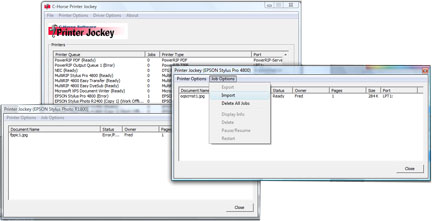
Simply select the job (after printing
or importing), select "Production Run" from the Job Options menu
selection and enter the number of copies.
|
|||||
|
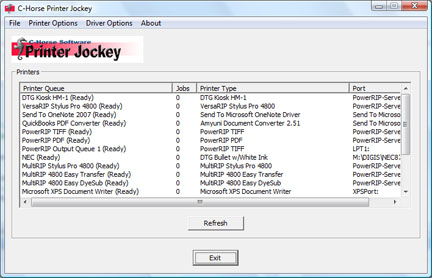
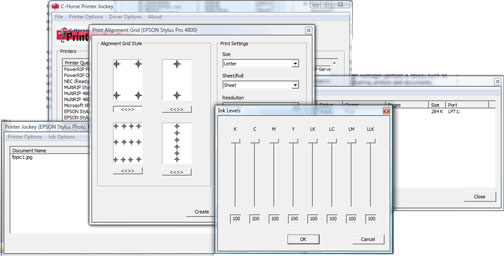
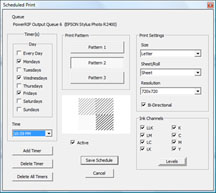
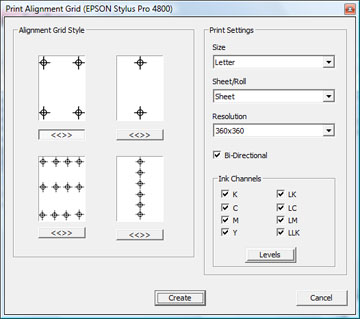
Screen Shots of various features.
|
|||||
 |
 |
|
|||
|
|
* Channel-Flush and alignment grid features supported on:
|
||||
|
|
|||||
|
|
|||||